Full Catalogue in Browser
Every pokie, live dealer table, and the complete AUD cashier are available in-browser on iOS and Android. Nothing is stripped out from the mobile version.
App at Royal Reels: Mobile Deposits & Withdrawals
The full Royal Reels experience - 2,000+ pokies, live dealer tables, and PayID banking - runs in your iPhone or Android browser with no download or app store required.
How to Set Up Mobile Access
The Whole Casino in Your Phone Browser
The full Royal Reels experience - 2,000+ pokies, live dealer tables, and PayID banking - runs in your iPhone or Android browser with no download or app store required.
Play on Your Phone 18+ only. Gambling involves risk and can become addictive. Bonus terms and conditions apply.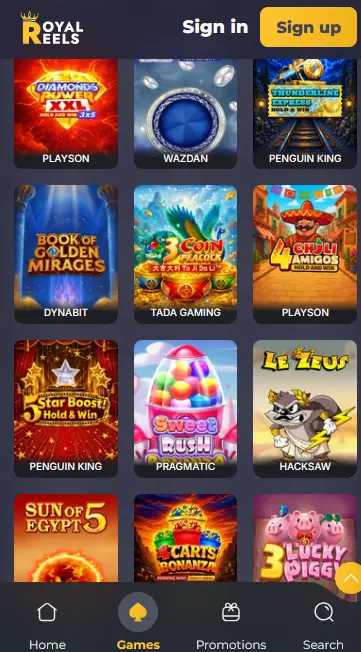
Mobile at Royal Reels
Pros
Cons
Staying Safe on Mobile
What You Should Do
What You Should Avoid
What the Mobile Experience Delivers
Full Catalogue in Browser
Every pokie, live dealer table, and the complete AUD cashier are available in-browser on iOS and Android. Nothing is stripped out from the mobile version.
Instant Updates
New pokies, bonus activations, and promotions from providers including Pragmatic Play and Hacksaw Gaming go live server-side. No app update or store approval delay.
Secure Sessions on Mobile
256-bit SSL encryption protects every session, and two-factor authentication is available from account settings for both desktop and mobile logins.
Device Requirements
Android
iOS
The Royal Reels mobile experience is designed to give Australian players the complete casino on the device they already carry. Rather than a stripped-down companion app, the browser version matches the desktop lobby in every category: 2,000-plus pokies, the full live dealer lobby, the AUD cashier with PayID support, KYC document upload, live chat, and bonus tracking are all accessible from a single mobile browser session.
PayID deposits integrate directly from your Australian banking app. Initiate the transfer, approve it in your bank, and the funds appear in your Royal Reels AUD balance within one to two minutes - without switching to a desktop or leaving your phone. The Live Casino tab streams tables from Pragmatic Play Live, Iconic21 Live, and Playtech Live, including Mega Roulette, Blackjack Lobby, and Baccarat Lobby, at consistent quality on both 4G and home Wi-Fi. New pokie releases from studios including Pragmatic Play, Booongo, and Hacksaw Gaming go live on the mobile lobby the same moment they launch on desktop, since updates are applied server-side with no app version gate.
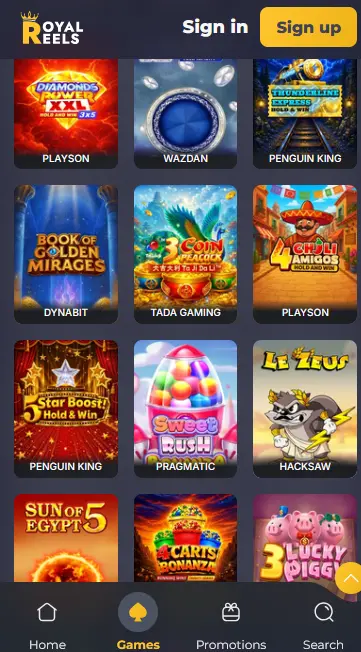
The desktop browser and mobile browser access the same account, the same game library, and the same cashier. The mobile layout adapts to a portrait orientation with larger tap targets, a bottom navigation bar with Home, Games, Promotions, and Search, and a vertically scrolling game grid. The Providers and Collections filter and the category tabs (Popular, Originals, New, Slot, Table Games, Live Casino, Instant Win) work identically to desktop. The one functional difference is that a native app might send push notifications for bonus drops or new releases - the browser shortcut at Royal Reels does not do this. Players who want bonus reminders can opt in to email or SMS communications from their account notification settings.
The full pokies catalogue of 2,000-plus titles is available in the mobile browser. Hold and Win titles from Penguin King, Playson, and Booongo load with the same smoothness as the classic three-reelers. Featured mobile-optimised pokies include Sleeping Dragon and Sweet Rush Bonanza (Pragmatic Play), Sun of Egypt 3 (Booongo), Diamonds Power XXL (Playson), 12 Coins (Wazdan), and Book of Golden Mirages (Dynabit). Demo mode is available on most titles before switching to real-money play.
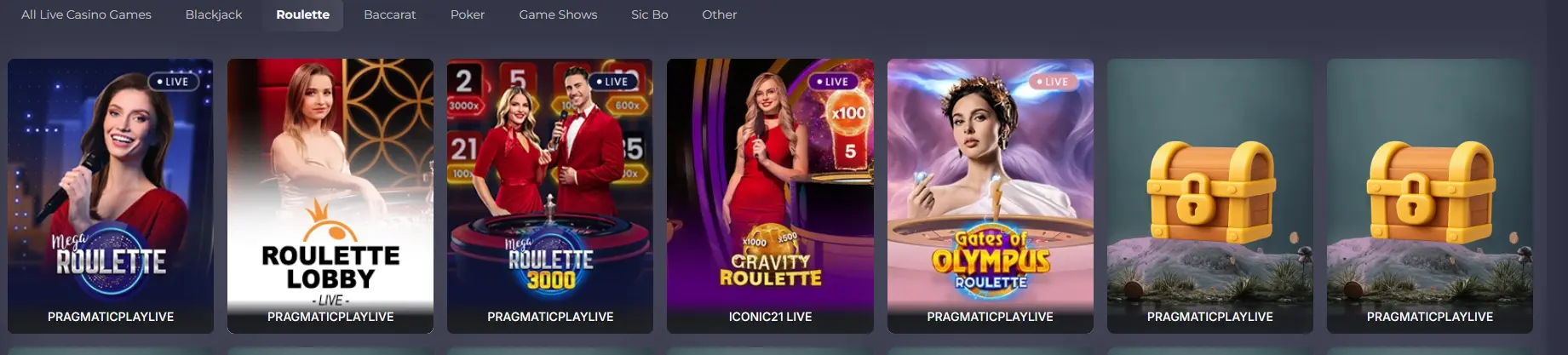
Live dealer streams are fully playable on mobile. Mega Roulette, Gravity Blackjack, and Baccarat Lobby render at high frame rates on 4G and Wi-Fi connections, and the Roulette, Blackjack, Baccarat, and Poker tabs make it quick to jump between tables without rotating the device.
Blackjack, roulette, baccarat, and poker variants from the Table Games tab, all from RNG-certified providers, run in the mobile browser. Results on all non-live titles are independently audited by iTech Labs to confirm that published RTP figures reflect actual statistical distributions.
Hold and Win jackpot pokies such as Diamonds Power XXL, 12 Coins, and Thunderline Express are accessible from the mobile lobby. Jackpot prizes are identical regardless of device, so mobile players are eligible for the same amounts as desktop users.
Chrome version 90 or later on Android 8.0 (Oreo) or above is the recommended setup. Most Android phones released in the past four years meet these requirements. For live casino streams, a 4G or Wi-Fi connection ensures stable video playback without buffering.
Safari on iOS 13 or above is the recommended browser. iPhones from the iPhone 6S onwards running a current iOS version support the full catalogue. Adding Royal Reels to the home screen from Safari takes two taps and places a launch icon directly on your home screen.
| Platform | Browser | OS | Connection |
|---|---|---|---|
| Android | Chrome 90+ | Android 8.0+ | 4G or Wi-Fi |
| iOS | Safari (current) | iOS 13+ | 4G or Wi-Fi |
Royal Reels is browser-based, so there is no APK file to download and no App Store installation to wait for. Setup takes under two minutes.
Open Chrome on your Android device and go to royalreelsslots.com. Log in or register your account. Tap the three-dot menu in the top right corner of Chrome and select Add to Home Screen. Name the shortcut Royal Reels and tap Add. The icon appears on your home screen and launches the casino directly in Chrome without opening a new browser tab.
Open Safari on your iPhone or iPad and navigate to royalreelsslots.com. Log in or register. Tap the Share icon (the box with an upward arrow) at the bottom of the Safari screen. Scroll through the share sheet and tap Add to Home Screen. Tap Add in the top right corner to confirm. The Royal Reels icon now appears on your home screen and opens the casino in Safari with the same speed and performance as a native app launch.
If a full home-screen shortcut is not needed, simply bookmark royalreelsslots.com in your browser. Both Chrome and Safari remember login sessions between visits, so the casino opens to your account without re-entering credentials on each visit (subject to your device’s privacy settings and whether you have cleared browser data).
All payment methods available on desktop are fully functional in the mobile browser. PayID deposits can be initiated directly from your phone: tap deposit in the cashier, select PayID, copy the account details, switch to your banking app to approve the transfer, then switch back to see the funds credited. The minimum deposit is $10 via PayID. Cryptocurrency deposits via BTC, ETH, or USDT are also processed through the mobile cashier.
| Method | Direction | Processing Time |
|---|---|---|
| PayID | Deposit | Under 2 minutes |
| PayID | Withdrawal | Within 24 hours |
| Bitcoin / ETH / USDT | Both | Minutes to a few hours |
| Visa / Mastercard | Deposit | Instant |
| Visa / Mastercard | Withdrawal | 1-3 business days |
| Bank Transfer / BPAY | Withdrawal | 2-5 business days |
All cashier transactions on mobile are protected by the same 256-bit SSL encryption that covers desktop sessions. PCI DSS-compliant payment handling applies to every card transaction. KYC verification - required before the first withdrawal is processed - can be completed from the mobile browser by uploading photos of your Australian driver’s licence, passport, or Medicare card, plus a recent utility bill or bank statement as proof of address.
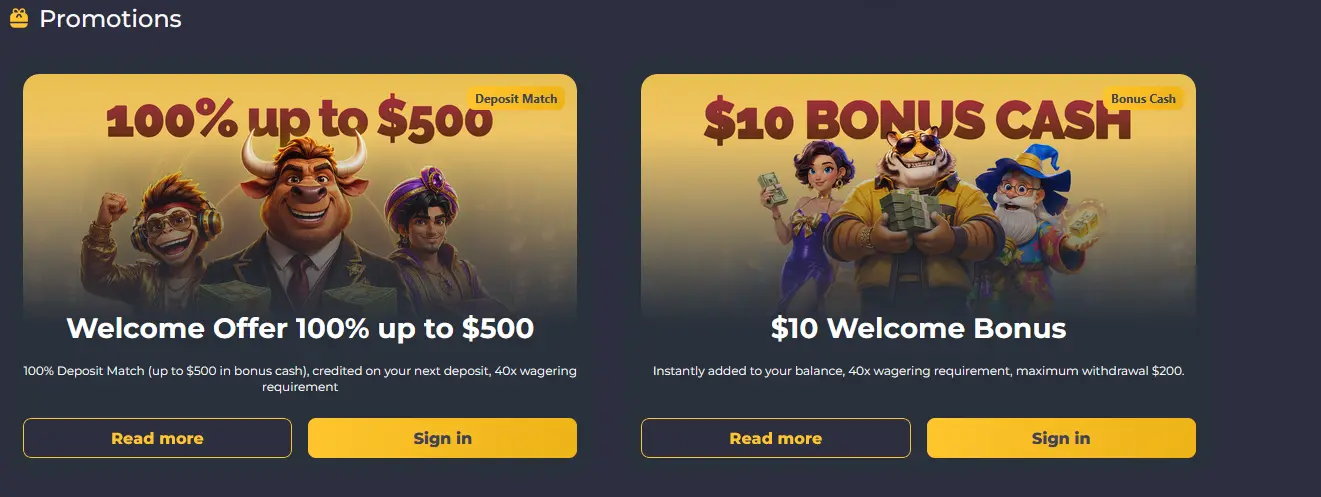
The full welcome offer - the $10 Welcome Bonus added instantly to your balance and the 100% deposit match up to $500 in bonus cash on your next deposit - is available to players who register and deposit from a mobile browser. No separate mobile code or opt-in step is required. Both bonuses carry a 40x wagering requirement, and the bonus wallet and wagering tracker are visible in the account section of the mobile interface. 18+ only, T&Cs apply. For complete wagering conditions, eligible games, and the maximum $200 withdrawal on the $10 bonus, see the full bonus terms.
New players can register directly from the mobile browser. Tap Sign up at the top of the royalreelsslots.com mobile homepage and enter your email address, tick the box confirming you are 18 or older and agree to the Terms and Conditions and Privacy Policy, then tap Send verification. Once your email is verified, complete your profile with your name, date of birth, mobile number, and Australian residential address, and select AUD as your account currency.
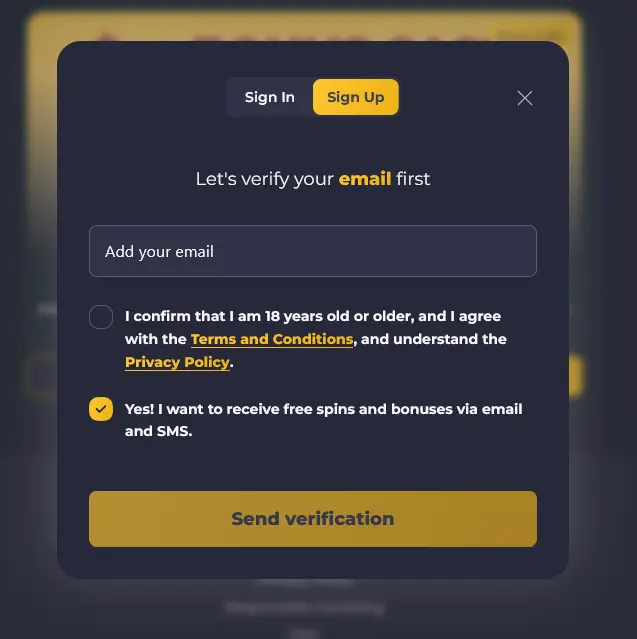
Returning players tap Sign in on the royalreelsslots.com mobile homepage and enter their registered email or username and password. The login process is identical to desktop - the same credentials work across all devices. Two-factor authentication, if enabled, triggers a one-time SMS or authenticator code prompt after the password step. For troubleshooting login issues including forgotten passwords and locked accounts, visit the login help page.
Every page, every cashier transaction, and every live chat session at Royal Reels is encrypted under 256-bit SSL. The padlock icon in your mobile browser address bar confirms an active encrypted connection. No financial data or account credentials are transmitted without encryption.
Two-factor authentication is available from the security section of your account settings. Once enabled, a one-time code is required alongside your password on each new device login. This is particularly important for mobile accounts because a phone is a personal device with payment app access already on it - enabling 2FA adds a meaningful barrier against unauthorised access if the device is lost or borrowed.
If your phone supports face recognition or fingerprint unlock, your browser may offer to autofill your Royal Reels credentials using the biometric data stored in your device’s secure element. This is a device-level feature managed by your operating system and browser, not by Royal Reels directly. Enabling it allows fast, password-free sign-in without reducing the security of your account credentials.
24/7 live chat is accessible from the support icon in the mobile browser interface. The same response time of under three minutes that applies to desktop also applies to mobile live chat, covering AEST (UTC+10) and AEDT (UTC+11). Email support is available at [email protected] for matters requiring a written record. Live chat is the faster route for payment queries, bonus activation questions, and account unlocks.
Responsible gambling tools are accessible from account settings on mobile. Deposit limits (daily, weekly, or monthly), session duration reminders, and self-exclusion options covering short-term cooling-off periods through to permanent account closure are all manageable from your phone. If gambling is causing concern for you or someone close to you, please reach out to a qualified support service in your state or territory.
Mobile Questions Answered
No. Royal Reels does not have a native app on Google Play or the App Store. The full casino runs in your mobile browser, and you can add a home screen shortcut for quick access without a download.
Yes. The entire pokies catalogue - including Pragmatic Play titles such as Sleeping Dragon and Booongo titles such as Sun of Egypt 3 - is built in HTML5 and runs in any modern iOS or Android browser without a separate download.
Yes. PayID deposits are initiated from your mobile banking app and confirmed within minutes, then live dealer streams load directly in the browser. A 4G or Wi-Fi connection is recommended for live casino play.
Because Royal Reels is browser-based, updates happen server-side. New game releases, bonus offers, and security improvements are live as soon as you open the site - no manual update or app store approval is involved.
Open Royal Reels on Your Phone
Grab 100% up to $500 plus $10 bonus cash.
Enter the Casino 18+ only. Gambling involves risk and can become addictive. Bonus terms and conditions apply.